The Complete Guide to Selling on Instagram in India in 2026: From First Post to First Payment
This guide maps the entire journey - from setting up your professional account to collecting your first UPI payment and dispatching your first order. No jargon, no complex tools, no website required.
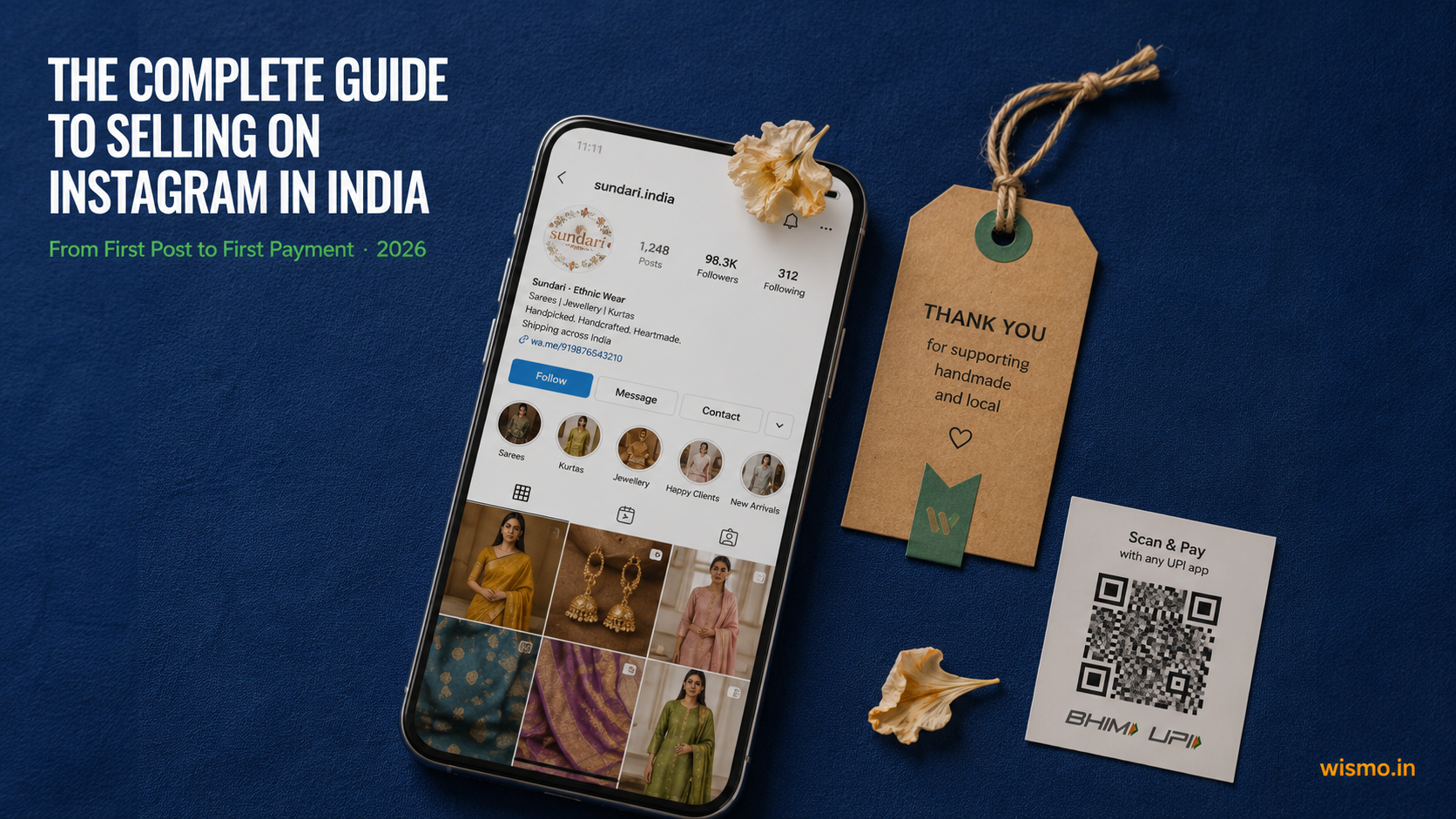
Last updated: May 2026 | Reading time: 18 minutes
If you have ever thought "I could turn this into a business" while posting your products on Instagram - you are right, and thousands of Indian women and men just like you already have.
As of early 2026, there are an estimated 11.2 million active Instagram sellers in India. Most of them started exactly where you are: a personal Instagram account, a phone camera, products they believed in, and no idea how to turn followers into paying customers.
This guide maps the entire journey - from setting up your professional account to collecting your first UPI payment and dispatching your first order. No jargon, no complex tools, no website required. Just Instagram, a smartphone, and this guide.
Before You Start: What Kind of Seller Does Instagram Work Best For?
Instagram is not the right platform for every product. It is built around visual discovery - things that look beautiful, interesting, or aspirational on camera perform exceptionally well here.
The top-performing categories on Instagram India in 2026 are:
| Category | Average Order Value | DM Intensity |
|---|---|---|
| Fashion - Ethnic & Handloom | ₹4,000 - ₹50,000 | Extreme |
| Jewellery & Accessories | ₹2,500 - ₹15,000 | High |
| Beauty & Personal Care | ₹1,500 - ₹4,500 | Medium-High |
| Thrift / Pre-loved Goods | ₹500 - ₹3,500 | Extreme |
| Home Decor & Handmade Art | ₹1,500 - ₹8,000 | Medium |
If you sell in any of these categories, you are in the right place. The combination of visual products, impulse-driven buyers, and India's 522.5 million Instagram users creates a commerce environment that no other platform in India replicates.
STEP 1 - Set Up Your Instagram Business Account (5 Minutes)
This is the single most important first step. A personal account limits your ability to see analytics, run ads, and use third-party tools. A business account is free and unlocks everything you need.
How to switch to a Business Account:
- Open Instagram on your phone and go to your profile
- Tap the three lines (☰) in the top-right corner
- Tap Settings and Activity
- Tap Account type and tools
- Tap Switch to professional account
- Select Business (not Creator - Creator is for influencers, Business is for sellers)
- Choose your category - pick the one closest to what you sell (e.g., "Clothing," "Jewellery," "Home Decor")
- Add your contact details - at minimum, add a business phone number or email
A business account gives you access to Instagram Insights for performance analytics, contact buttons for direct communication, the ability to run ads, and access to Instagram Shopping. It is 100% free and takes just 5 minutes to set up.
What to fill in your profile immediately after:
- Profile photo: Use a clear photo of your product or your logo. Not a selfie.
- Username: Keep it clean and close to your brand name. If your brand is "Riya's Thrift," try @riyasthrift or @shopwithriyas. Avoid numbers and underscores if possible.
- Bio (150 characters): Say what you sell, where you are, and how to order. Example: "Handpicked ethnic wear | Jaipur | DM to order | Shipped all over India"
- Contact button: Enable this so buyers can message or call you directly from your profile
- Link in bio: If you have a Google Form for orders or a catalogue link, add it here - you can update this whenever you run a sale or drop new stock
One thing most new sellers miss: Use keywords in your bio and username. In 2026, Instagram Search works like Google. If someone searches "handmade silver jewellery Jaipur," your page should be able to come up - but only if those words are in your bio or username.
STEP 2 - Build Your First 9 Posts Before You Go Public
Before you start telling people about your page, you need at least 9 posts on your grid. Why? Because when a new buyer lands on your profile from a Reel or a share, they look at your grid first. An empty or messy grid loses buyers before they even DM you.
Your first 9 posts should include:
- 3 posts of your products (clear, well-lit, from multiple angles)
- 2 posts showing your products in use or being worn/styled
- 1 post about your story - who you are, what you make, why you started
- 2 posts showing your process - packing an order, creating a product, sourcing materials
- 1 post with customer testimonials or reviews (even if they are from friends or family who tried your product first)
This grid gives a new buyer the answer to their two core questions: "Is this real?" and "Is this worth trusting?"
STEP 3 - Product Photography on a Phone (The Honest Guide)
You do not need a professional camera. India's most successful Instagram sellers shoot everything on a smartphone - but they do it strategically.
The 5 rules of product photography on a phone:
1. Always use natural light. Shoot near a window, not under a tube light or bulb. Tube lights make products look yellow and cheap. Natural daylight - especially between 8 AM and 11 AM - is the most flattering light for product photography. Overcast days are perfect because the light is even and soft.
2. Use a plain background. A white bedsheet, a plain wall, or a piece of chart paper costs nothing and makes your products look clean and professional. Busy backgrounds distract from the product.
3. Shoot at eye level or slightly above - never from below. Hold your phone flat above the product (overhead shot) for flat-lays. For hanging garments or jewellery, shoot at eye level. Never shoot from below - it distorts proportions.
4. Show scale. For jewellery, show it being worn. For clothing, show it on a person or a mannequin. For home decor, show it in a room. Buyers cannot touch your product - your photo has to tell them how big it is, how it feels, and how it looks in real life.
5. Always shoot video too. In India, buyers frequently DM asking for a "real video" before purchasing - especially for ethnic wear and jewellery. They want to see the fabric fall, the colour in natural light, the stone shimmer. Record a short video every time you photograph a product. You can use it for Reels, for Stories, and to send directly in DMs when asked.
Free editing tools that work:
- Snapseed (Google) - best for adjusting brightness, contrast, and removing shadows
- Lightroom Mobile (free version) - best for consistent colour grading across all your posts
- Remove.bg - removes backgrounds automatically if you need a clean white/transparent background
STEP 4 - Writing Captions That Actually Bring Buyers to Your DMs
Most sellers write captions like this:
"New arrivals! 🔥🔥 DM for price. Link in bio."
That caption does nothing for the algorithm and nothing for the buyer. Here is how to write a caption that converts.
The structure of a high-converting seller caption:
Line 1 - The hook. This is what shows before "read more." It must stop the scroll.
- "This piece sold out three times. It's back for the last time."
- "If you've been waiting for the blue one - it's here."
- "₹2,200 for handwoven. Let that sink in."
Lines 2-4 - The product details. Be specific. Buyers want to know:
- Material, size options, colours available
- Price (yes, include the price - hiding it creates friction)
- Whether it is available or if they need to pre-book
Line 5 - The CTA (call to action). Tell buyers exactly what to do next.
- "DM us 'BLUE' and we'll send you all available sizes."
- "Comment 'WANT' and we'll save one for you."
- "DM 'price' for full details and to place your order."
Hashtags: Use 5 to 10 focused hashtags, not 30 generic ones. Good ones for Indian sellers: #ethnicwear, #handmadejewellery, #thriftindia, #homedecorIndia, #instashopindia, #supportsmallbusiness. Mix broad ones with niche ones specific to your category and city.
Caption SEO tip: In 2026, Instagram Search reads your captions. Use the actual words your buyers would search - "handloom cotton saree Jaipur" beats "#saree #fashion #ootd" every time for organic discovery.
STEP 5 - Reels and Stories: How Indian Buyers Actually Discover You
Before you get a single DM, a buyer has to find you. In 2026, the two surfaces where new buyers discover Indian Instagram sellers are Reels (discovery) and Stories (repeat visits).
Reels for Discovery
Reels are your storefront window to buyers who have never heard of you. The algorithm serves Reels to non-followers based on their interests - which means a beautifully shot 15-second Reel of your latest saree collection can reach a woman in Pune who has never seen your page.
What to post as Reels:
- New product reveals ("New collection just dropped - swipe right to see all 5")
- Styling videos ("3 ways to style this one kurta")
- Packing orders ("Your order is on its way!")
- Behind-the-scenes ("How I source my fabric from Chanderi")
- Before/after ("The thrift find vs. the styled version")
Keep your first 3 seconds sharp. The first frame must immediately show something beautiful, surprising, or familiar enough to stop a thumb mid-scroll.
Stories for Repeat Buyers
Stories are where your existing followers live. A buyer who ordered from you once and follows your Stories is far more likely to order again. Post Stories 3 to 5 times a day - not necessarily polished content, but consistent updates:
- Daily stock announcements ("Last 2 pieces of this design left")
- Polls to involve followers in decisions ("Restock the green or the rust? Vote 👇")
- Behind-the-scenes snippets
- "Reply to order" prompts - "DM me or reply to this Story with your size"
When to post for Indian audiences:
The data is clear: India's peak engagement window for Instagram sellers is 6:30 PM to 9:00 PM IST on weekdays, with Tuesday, Wednesday, and Thursday performing best.
The highest volume of purchase-related DMs arrives between 8:00 PM and 11:30 PM IST - when buyers are relaxed, scrolling, and in a buying mood.
STEP 6 - Managing DMs: Where Sales Are Made and Lost
Here is the hard truth that most new sellers learn the painful way: the DM is the closing room. Everything before this - the Reel, the caption, the Story - was just to get a buyer to send you a message. What you do with that message determines whether you make money.
Approximately 25 to 30% of purchase inquiries start as comments on your posts ("Price?" "Available in blue?" "Can I get this in XL?"). Your job is to move those conversations to DMs as quickly as possible, and then close the sale there.
The speed problem:
In India, 40% of consumers expect a brand to respond within the first hour. 79% expect a response within 24 hours. But for small sellers managing 50 to 200+ DMs per day manually, this is almost impossible.
The conversion math is brutal: sellers who respond within 1 minute convert 21 times more than sellers who respond in 30 minutes. The average manual response time for small sellers is 45 minutes - meaning most sellers are losing the majority of their potential sales not because of price or product, but because of slowness.
How to manage DMs better, starting today:
-
Set up a Quick Reply in Instagram. Go to Business Tools - Quick Replies. Create saved templates for your most common DMs: "Price?" - template with full pricing and sizes. "Available?" - template with current stock. "Shipping?" - template with your delivery timeline and rates. This cuts your response time dramatically.
-
Pin DMs from serious buyers. In Instagram, you can pin up to 3 DMs to the top of your inbox. Use this for buyers who have confirmed an order but not yet paid.
-
Create a standard order DM flow. Every time a buyer is ready to order, send them the same information in the same order: (1) product confirmation + price, (2) your UPI ID or QR code, (3) your shipping address form (a simple Google Form with name, phone, full address, pincode), (4) payment confirmation request. Consistency reduces errors.
-
Set an Auto-Reply for hours you are offline. In Meta Business Suite, you can set an automatic away message for when you are not online. Set it to say: "Thanks for reaching out! We are reviewing your message and will reply within 2 hours. For urgent queries, WhatsApp us at [number]." This manages buyer expectations and reduces abandoned DMs.
The late-night opportunity:
Sellers who use automated catalogue links or clear "how to order" information in their late-night auto-replies see a 35% higher conversion rate compared to sellers who wait until morning to respond. Impulse buyers who DM at 11 PM lose interest by 9 AM.
STEP 7 - Taking Payment via UPI (And Doing It Safely)
UPI is the payment method for Indian Instagram sellers. It is instant, free to send, and every buyer already has Google Pay, PhonePe, or Paytm on their phone. You do not need a payment gateway, a website, or a merchant account to accept UPI.
How to accept payment:
- Share your UPI ID directly in the DM (e.g., yourname@okicici or yourname@ybl)
- Or screenshot your QR code from your UPI app and send it to the buyer
- Ask the buyer to pay and share a screenshot of the successful payment confirmation
Creating your UPI QR code: Open Google Pay, PhonePe, or Paytm - Go to your profile - Find "My QR Code" - Screenshot it and save it. Send this in DMs when a buyer is ready to pay. It is cleaner than typing out your UPI ID every time.
The fraud problem you need to know about:
UPI screenshot fraud is one of the most common ways Indian Instagram sellers lose money. A buyer sends a screenshot of a fake payment confirmation - made using apps that generate realistic-looking payment screens. The seller ships the product. The money never arrives.
How to protect yourself:
- Never ship before you verify payment in your bank. Open your bank app or UPI app and check that the exact amount has arrived in your account before confirming any order. Do not rely on screenshots alone.
- Check the UTR number. Every real UPI transaction has a UTR (Unique Transaction Reference) number. Ask the buyer to share the UTR number if you are ever unsure. Fake screenshot generators often cannot generate valid UTR numbers.
- For large orders (above ₹3,000), wait for full bank confirmation before dispatching. The extra 10 minutes of waiting is worth avoiding a total loss.
How to send a payment confirmation to your buyer:
Once you have confirmed payment in your bank app, send the buyer a simple confirmation DM:
"Payment received! ✅ Your order is confirmed. Please share your full delivery address with pincode. We will dispatch within [X] days and send you the tracking number."
This single message builds enormous trust and sets the professional tone that differentiates you from sellers who go quiet after payment.
STEP 8 - Shipping Your First Order
Once payment is confirmed and you have the buyer's address, it is time to ship. This is where most new sellers feel overwhelmed - but it is simpler than it looks.
What you need before you ship:
- The buyer's full name
- Complete address including area, city, state, and pincode
- Phone number (for the courier to call if there is a delivery issue)
Always collect this information via a simple Google Form. Create a form with these five fields and share the link with every buyer after payment confirmation. The form auto-collects everything into a Google Sheet, which becomes your first order log.
The easiest way to ship as a new Instagram seller: Shiprocket
Shiprocket serves over 3,00,000 eCommerce businesses across India and is specifically built for entrepreneurs selling on Instagram, WhatsApp, and Facebook. It is the standard tool for Indian Instagram sellers who ship across India, and it is the right starting point.
How Shiprocket works for a new seller:
- Create a free account at shiprocket.in
- Enter the order details - buyer name, address, pincode, product weight and dimensions
- Shiprocket's AI recommends the best courier partner for that pincode and weight (from 25+ partner couriers including BlueDart, Delhivery, DTDC, Xpressbees)
- Print the shipping label (or take it to a print shop - costs ₹5)
- Choose between prepaid and COD shipments, schedule a pickup, and track the delivery from a single dashboard.
- Share the AWB (Air Waybill) tracking number with your buyer via DM
Packaging tips for new sellers:
- Use a courier bag (available on Amazon or any stationery shop - ₹5 to ₹15 each) for clothing and soft goods
- Wrap fragile items in bubble wrap inside a corrugated box
- Always write the buyer's address and your return address on the outside of the package in addition to the printed label
- For jewellery, add a small thank-you note inside - it costs nothing and generates enormous goodwill and repeat orders
Shipping rates as a starting benchmark:
Rates on Shiprocket depend on weight, dimensions, and destination pincode. For a typical fashion or jewellery order of under 500g, expect to pay ₹60 to ₹120 for domestic shipping. You can either charge this to the buyer separately or build it into your product price.
COD (Cash on Delivery) vs Prepaid:
Most Indian buyers prefer COD. But for small sellers, COD carries risk - a buyer can refuse delivery, and you pay the return shipping cost. As a new seller, it is safer to start with prepaid orders only (UPI before dispatch). Once you build a track record and trust, you can open COD selectively for repeat buyers.
STEP 9 - After the Order: Tracking, Delivery, and Building Repeat Business
The sale does not end when you dispatch. What happens after dispatch determines whether that buyer orders from you again - or tells their friends about you.
Share the tracking number immediately after dispatch.
Once your package is picked up and you have the AWB number, send it to your buyer in DM:
"Your order has been dispatched! 🚀 Tracking number: [AWB]. You can track it at shiprocket.in/shipment-tracking or on the Delhivery/BlueDart app. Expected delivery: [date]. Any questions, just DM us!"
This one message eliminates the most common post-order buyer anxiety - "Where is my order?" - and prevents the DMs that slow you down most.
Follow up after delivery.
Two days after the expected delivery date, send a quick DM:
"Hope your [product] reached safely! Would love to see how you styled it - tag us or share a photo? And if there's anything at all you'd like to exchange or if you have any feedback, just let us know 🙏"
This message does three things: it confirms delivery, it invites user-generated content (free marketing), and it opens the door for a repeat order. Most sellers never send this message. The ones who do consistently report higher repeat order rates.
Track your orders - even if it is just a Google Sheet.
For your first 20 to 30 orders, a simple Google Sheet is enough. Track:
| Column | What to enter |
|---|---|
| Order date | Date buyer confirmed order |
| Buyer name | Full name |
| Product | What they ordered |
| Amount | Amount paid |
| Payment status | Confirmed / Pending |
| AWB number | Shiprocket tracking number |
| Dispatch date | When you shipped |
| Delivery status | Delivered / In transit / RTO |
This simple log will save you from the chaos of managing everything through WhatsApp chat pins and Instagram DMs as your order volume grows.
Research shows 45% of Indian Instagram sellers currently use WhatsApp Notes and chat pins as their primary order tracking system, and 15% still use paper and pen. This works at 5 orders per week. It breaks at 20 orders per week. Start the spreadsheet habit early.
STEP 10 - Turning a First-Time Buyer Into a Repeat Customer
The most profitable buyer you will ever have is not a new buyer - it is someone who has already ordered from you. Getting an existing customer to order again costs almost nothing. Getting a new customer costs time, content, and energy.
The three habits that build repeat business on Instagram:
1. Follow back every buyer and engage with their content. When someone orders from you, follow them back. Like a few of their posts. When they post something related to your product category, leave a genuine comment. This keeps you visible in their feed without spending a rupee.
2. Add them to a Close Friends list for exclusive drops. Instagram's Close Friends feature lets you post Stories that only a select group of followers can see. Use this to give your repeat buyers early access to new stock, special prices, or limited drops. Buyers who feel they get exclusive access become your most loyal customers - and they tell their friends.
3. Ask every satisfied buyer to tag you. When a buyer receives a beautiful product and you have followed up warmly, a simple "Would you tag us in your stories?" produces free social proof that no ad can replicate. Repost every tag you get (with credit). This is word-of-mouth marketing at zero cost.
The Full Journey - One-Page Summary
Here is the complete DM-to-Delivery loop that successful Indian Instagram sellers run:
Reel / Story -> Comment ("Price?") -> Move to DM
       |
Share product details + price + UPI QR code
       |
Buyer pays -> Verify in your bank app -> Confirm in DM
       |
Collect delivery address via Google Form
       |
Pack and dispatch via Shiprocket -> Share AWB number
       |
Follow up after delivery -> Ask for tag -> Build repeat relationship
Every step in this loop is manageable when you are starting out. As your order volume grows - past 20 orders a week - some of these steps begin to break down, especially DM management and payment verification. That is the point where tools designed for Indian Instagram sellers become essential.
What Successful Indian Instagram Sellers Know That New Sellers Do Not
After studying thousands of Indian Instagram sellers, here are the insights that separate those who build real businesses from those who stall:
Revenue is not a function of followers. It is a function of response speed and product trust. A seller with 8,000 followers who responds to every DM in under 10 minutes will outsell a seller with 80,000 followers who takes 4 hours to reply. Speed is the primary conversion lever on Instagram.
Your Stories are more valuable than your Feed. Stories are seen by people who already follow you - your warmest audience. Posting daily Stories with stock updates, polls, and behind-the-scenes content drives repeat orders at almost zero effort.
The comment section is a sales floor. Every "Price?" comment that goes unanswered is a sale that someone else got. Reply to every comment. Move every serious inquiry to DMs. The comment section is public - how you respond is visible to every other potential buyer reading your post.
72% of Indian Instagram sellers are solo operators - handling content, DMs, packing, and shipping themselves. The sellers who scale are not the ones who work harder. They are the ones who build systems: saved replies, Google Form address collection, Shiprocket automation, consistent posting schedules.
Your First 30 Days: A Simple Action Plan
Week 1:
- Switch to a Business Account
- Write a keyword-rich bio
- Create your first 9 grid posts
- Set up Quick Replies for your 5 most common DMs
- Create a UPI QR code and save it
Week 2:
- Post your first Reel
- Set up a Google Form for order addresses
- Create a Shiprocket account
- Start posting Stories daily
Week 3:
- Post 3 Reels this week - one product, one styling, one behind-the-scenes
- Send your first order on Shiprocket
- Follow up with your first buyer after delivery
Week 4:
- Create a Close Friends list with your first 5 buyers
- Post a Story exclusively for Close Friends with early access to new stock
- Review your Instagram Insights - which Reel got the most reach? Make more of that.
One Final Truth
Selling on Instagram in India is not complicated. It is conversation-driven commerce - exactly what Indian buyers and sellers have done in markets and bazaars for centuries, now happening on a phone screen.
The sellers who succeed are not the ones with the best cameras, the most followers, or the fanciest packaging. They are the ones who show up consistently, reply to every DM with warmth and speed, and treat every buyer as someone worth building a relationship with.
Start with your first post. Start today.
Managing DMs manually works when you're starting out. When your orders cross 20 a week and the DMs start piling up, WISMO was built for exactly that moment - an AI that handles your DMs 24/7, verifies UPI payments automatically, and tracks every order in one place. Built for Indian Instagram sellers. Learn more at wismo.in
Tags: how to sell on Instagram India, Instagram seller guide India 2026, how to start Instagram business India, UPI payment Instagram seller, Shiprocket Instagram seller India, DM selling India Instagram, Instagram business account India setup
Stop answering the same DMs. Start growing.
Join the waitlist and be among the first Instagram sellers to use WISMO to automate their entire workflow.
Join Early Access